



SmartQueries


Smart Queries Tool Documentation
SmartQueries module allow users to execute SparQL queries in order to search data and view results on a map. This help explain how to use this module.
Main View

Once the SmartQueries module opens. You visualize all public queries. You can filter them by category, keyword, author using combo boxes on the left panel.
Double click on the query you want to execute to open a new tab.
Click on this new tab.
Form and Map View
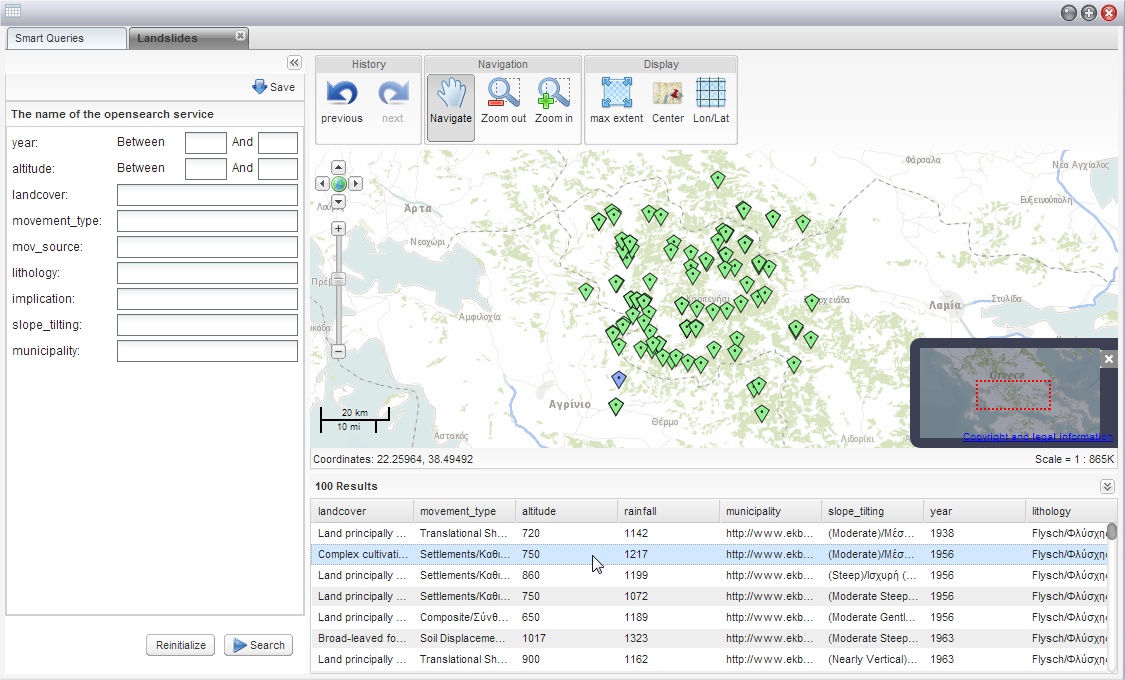
This view contains a form according to the chosen query. You can fill in some informations in the form fields or
just leave them empty.
Click on the "Search" button to launch the research.
You will visualize points on the map and metadata in the grid below the map.
Points and metadata are linked so what you can find back each points corresponding to each metadata.
Private Query
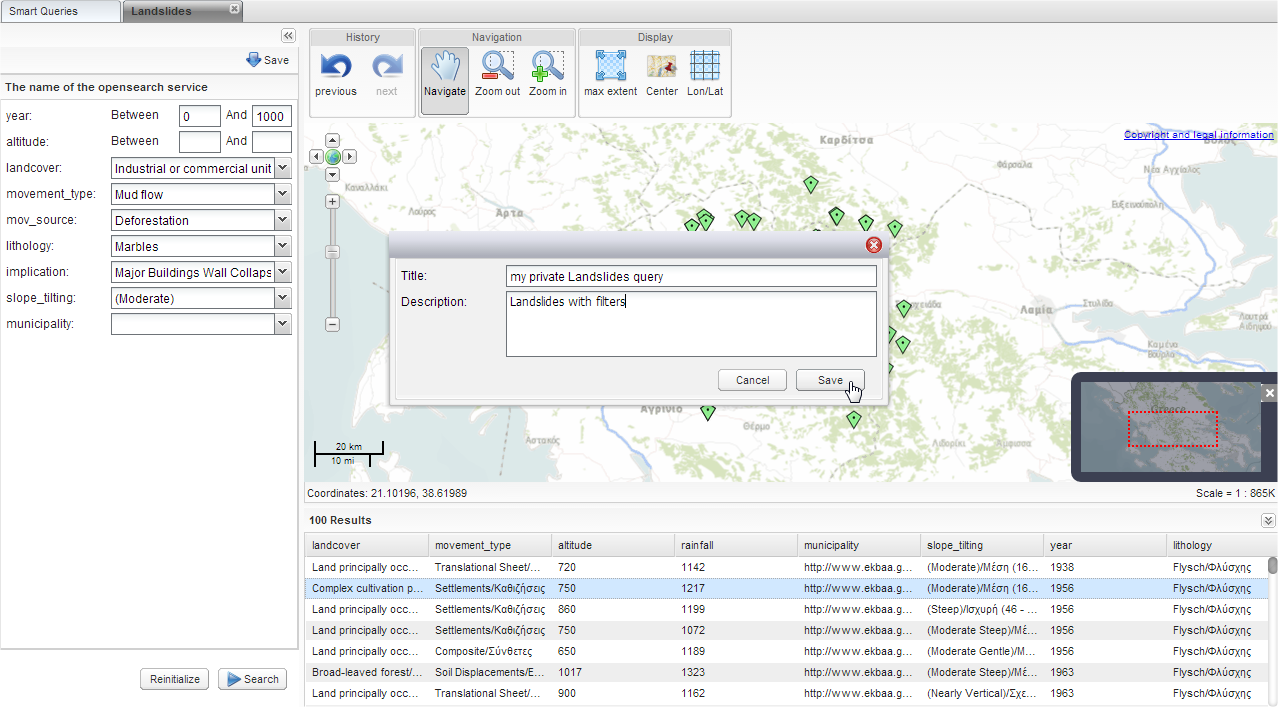
Once your search is done, if you find your query relevant you can save it in your personal space in order to play it again later.
Click on the "Save" button above the form.
Fill in a title and a description for your query then click on "Save".

Your personal query will appear in the grid next to public queries.
- Log in to post comments
Last updates
Project's Calendar

Only for consortium members
Contact: you can contact the Consortium using the generic address: contact [@] ingeoclouds.eu. Thanks!
This project is partially funded by the European Commission CIP Program. This website reflects the views of the authors only, and the Commission cannot be held responsible for any use which may be made of the information contained therein.

InGeoCloudS Users Documentation and other documents of this Web
site by the InGeoCloudS consortium members
are licensed under a Creative Commons Attribution-NonCommercial-ShareAlike 3.0 Unported License.
Based on a work at http://www.ingeoclouds.eu/.
Ad banners and pictures are (c) AKKA Technologies